Building
Field note
Readit
An evening build: a local text to speech miniplayer. Drop a PDF or a markdown file and it reads aloud while you walk, with Kokoro running on Apple Silicon. The hard part was everything that never shows up on a short test file.
Stream
Building
Format
Log
Updated
22 August 2026
An evening build. Python, Tkinter, Kokoro TTS running locally on Apple Silicon.
I have a reading queue that never gets shorter. Papers, long markdown notes, PDFs I save and then never open. I wanted to listen to them on a walk instead of finding another hour at a desk.
The real problem was not the queue though, it was the screen. By the evening I have already spent the day reading, so anything long enough to actually matter is the thing I put off. Specs and plans are the worst of it. I write them, then I need to read them back properly before committing to the work, and reading your own document on screen is exactly when your eyes skim the parts you think you already know.
The existing options did not fit. Cloud text to speech means uploading documents I would rather keep on my own machine, and the voices built into macOS have not aged well. Kokoro is an 82M parameter open model that runs on Apple Silicon through MLX, and it sounds enough like a real narrator that I stopped noticing it after a minute. That was the starting point.
Readit is a small miniplayer. Drop a PDF or a markdown file on it and it starts reading within a couple of seconds, then keeps generating in the background while you listen. You can pause, skip and scrub anywhere that has already been rendered. Changing the voice or the speed part way through re-renders from the sentence you are on rather than starting the document again.
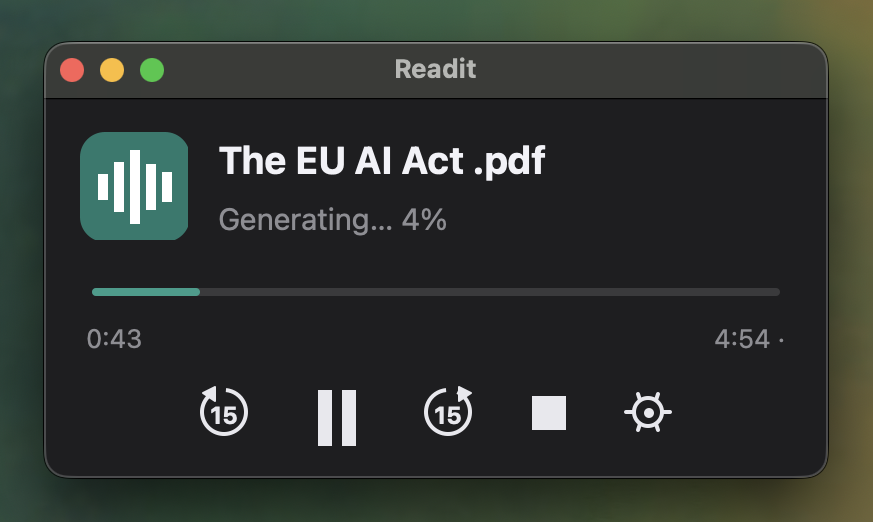
It has earned its place for three things in particular. Long markdown plans and specs, where hearing my own wording read back catches the vague sentences I would have skimmed over on screen. Book length PDFs, which now get listened to a chapter at a time instead of sitting unopened at twelve percent. And papers, where the header and reference stripping does the most work. Anything I would otherwise have to sit still for, I can now take on a walk or listen to while cooking.
What was actually hard
Getting text out of a PDF that reads well aloud. Raw extraction gives you words hyphenated across line breaks, a running header on every page, and a reference list that takes twenty minutes to read out. Readit rejoins split words, drops any short line that repeats on more than a third of the pages, and stops at the bibliography.
Playback stalling on long documents. The audio buffer was being reallocated and copied on every chunk, so a forty minute document meant copying 260MB around fifteen hundred times, holding the same lock the audio thread needed. Growing the buffer by doubling, and doing the copy outside the lock, took the worst audio stall from roughly half a second to 22 milliseconds.
Audio in Python. The first version fed the sound device from a real time callback, which needs the interpreter lock every 85 milliseconds. A model generating at full speed does not reliably give it up, so the audio stuttered and clipped. Moving playback onto an ordinary thread with blocking writes fixed it.
Everything competing at once. Exporting a file while it was still generating kicked off a second identical pass over the same document. The export now waits for the render already in progress and writes from that, and model access is serialised per sentence through a file lock, so two open windows take turns instead of fighting over the GPU.
What I took from it
Most of the evening went on those four problems rather than on the feature list, and none of them appear on a short file. That is the part worth remembering. Small test inputs hide the bugs that matter.
It works now. I listened to an 18 minute paper on the walk home.
This is a working MVP rather than a finished product, and I am treating it as one. It does the job I built it for every day, and I would rather refine it in the open as the rough edges turn up than sit on it until it feels finished. Two things are already on the list. A queue, so several documents can share one loaded model instead of a second window loading its own. And remembering where I stopped in a document, which is obvious in hindsight and missing today.